- You are here:
- AM.CO.ZABuythisCNC Utilities Homepage
- V-Smart-Vinyl-Cutting-Plotter
- User Manual
- V-Smart User Manual.pdf
- Page 41 of 45
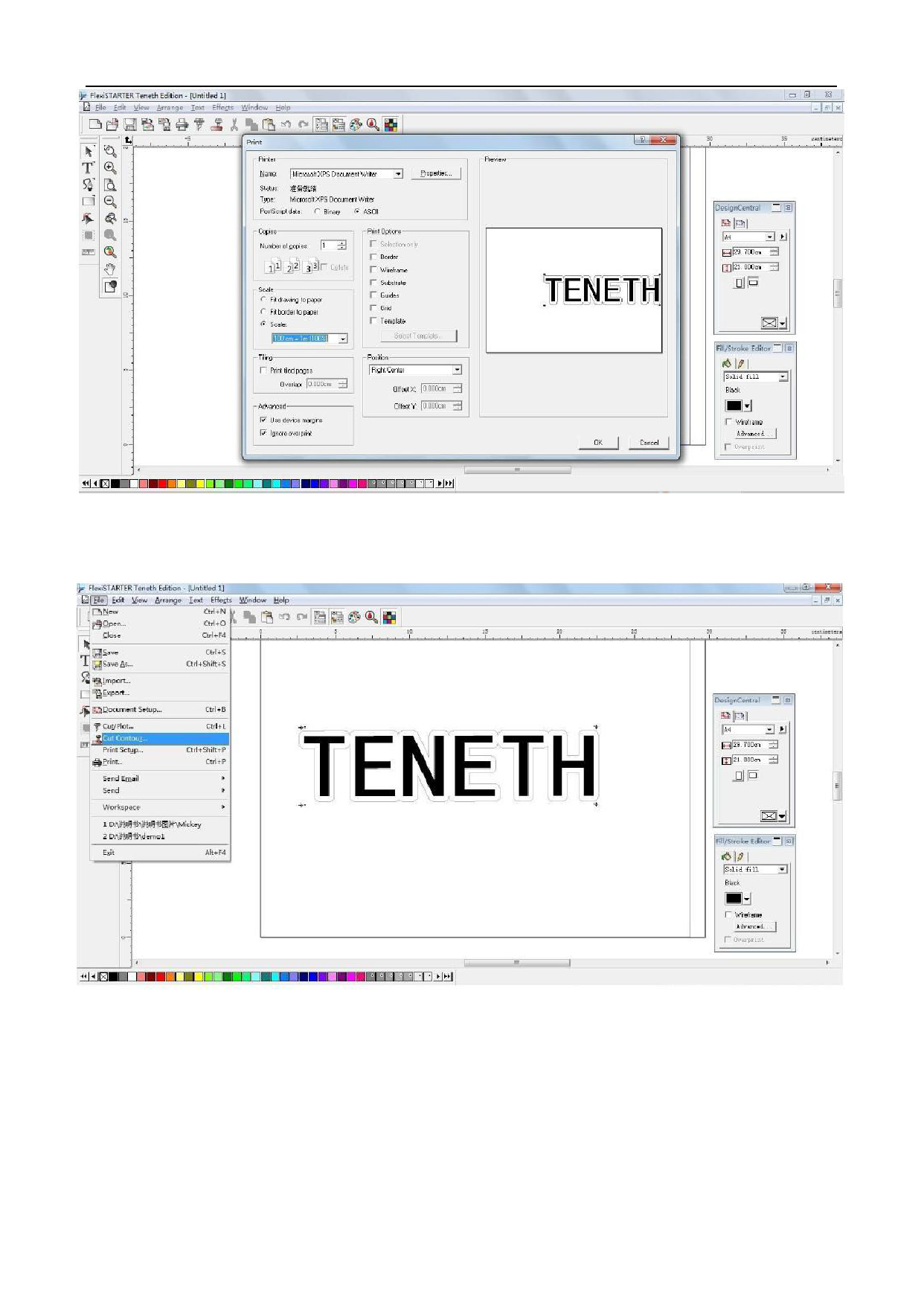
7. Load the printed sheet on the plotter, and click file “File” -> “Cut Contour…”
CAUTION:
CAUTION: When loading the sheet, Be sure the red dot must be placed at the right
side of first point, otherwise the plotter will not work normally, the valid zone is
as shown below:
41